Quando uma nova conta de usuário é criada no Service Aide, independentemente de como o usuário é criado, se o usuário é criado manualmente a partir da interface do usuário ou criado através da importação em massa ou via AD Sync, nenhuma senha está definida para o usuário. Uma senha pode ser definida pela primeira vez pelo Administrador ou o próprio usuário pode redefinir sua senha através do link "Esqueceu a Senha" da Página de Login.
Depois de ter configurado uma conta com uma senha, em uma etapa posterior, se um usuário inserir uma senha incorreta várias vezes, então, após um número fixo de tentativas, a conta será bloqueada.
O sistema exibe a mensagem 'Sua conta está bloqueada, faça o login novamente depois de algum tempo.'
padrão de tempo de espera 05 minutos.
Dois parâmetros de configuração estão disponíveis no sistema que permitem ao administrador controlar o número de vezes que um usuário pode deixar de fornecer a senha correta antes de ser bloqueado do sistema
------------------------------------------------------------------------------------------------------------------------------------
When a new user account is created in CSM irrespective of how the user is created, whether the user is created manually from the UI or created via Bulk Import or via AD Sync no password is set for the user. A password can be set for the first time either by the Administrator or the User himself can reset his password through “Forgot Password” Link from Login Page.
After having setup an account with a password, at a later stage if a user inputs incorrect password several times, then after a fixed number of attempts the account gets locked out.
The system displays the message 'Your account is locked, please login again after some time.'
Two Configuration Parameters are available in the system that allow the Administrator to control the number of times a user can fail to provide the correct password before getting locked out from the system
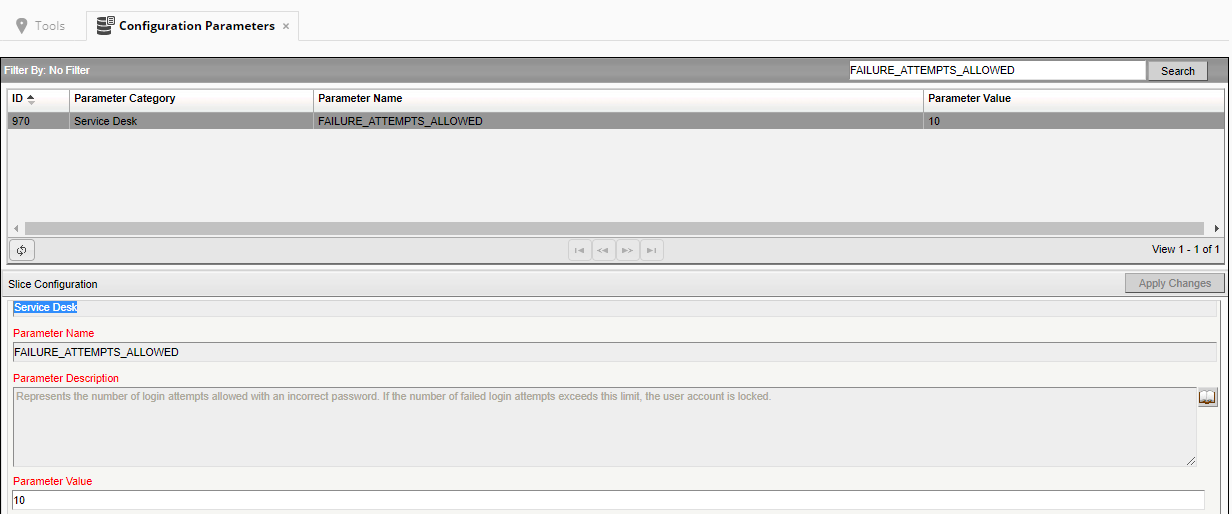
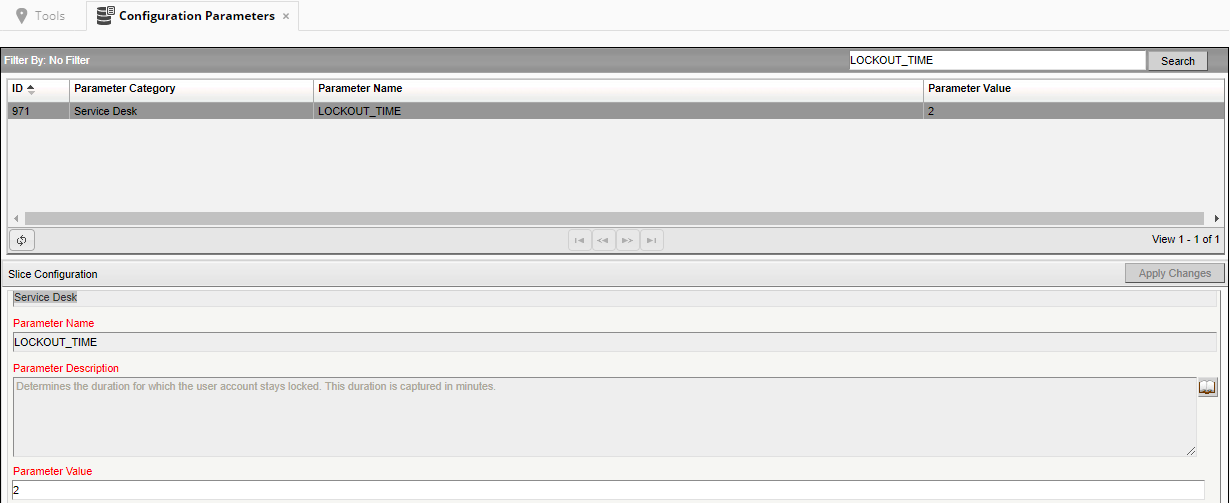
Under Tools >> Configuration Parameters administrator will find

This value represents the number of login attempts allowed with an incorrect password. If the number of failed login attempts exceeds this limit, the user account is locked.
This period determines the duration for which the user account stays locked. This duration is captured in minutes.
The Administrator does not have an option to unlock a user's account. Once an account is locked the user will need to wait out for the lockout period before attempting to login again.
------------------------------------------------------------------------------------------------------------------------------------
By Neha Gupt
https://communities.ca.com/thread/241703105